Documentation
PhraseLauncher is a simple launcher that allows you to paste fixed phrases quickly using only your keyboard.
Quick Start
2. Launch
Run the exe file. The application will stay active in your system tray.
3. Language & Appearance Settings
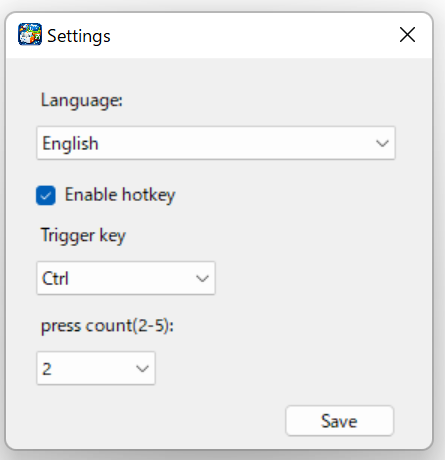
Please change the language (Japanese / English), text size, or hotkey-related settings as needed.
4. Register Phrases
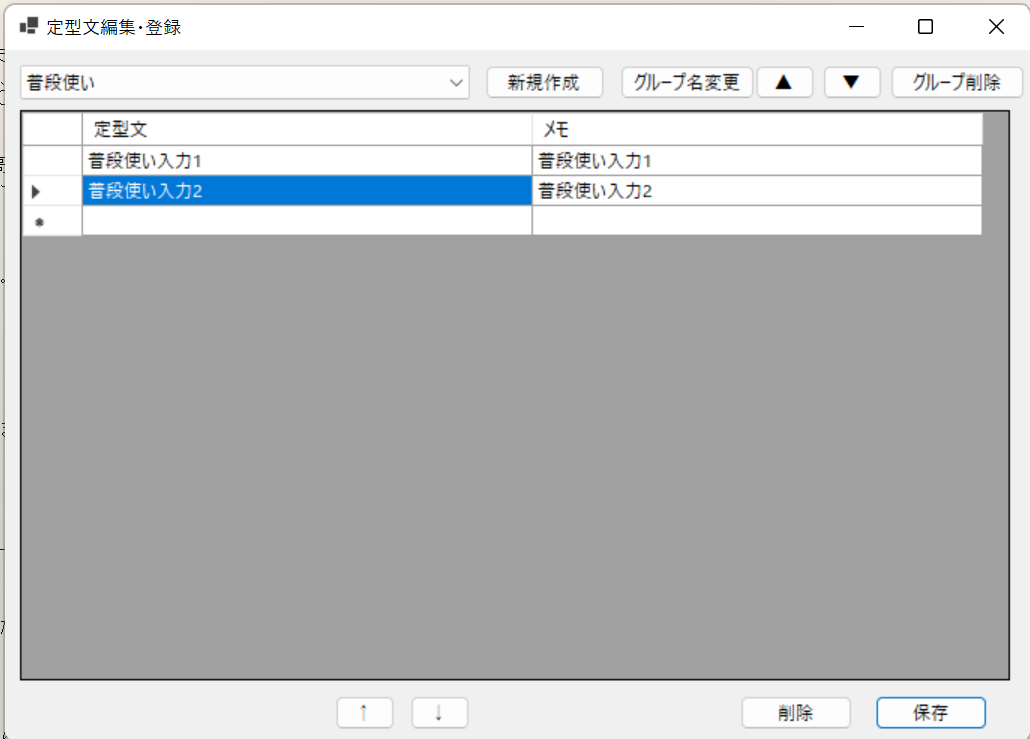
Right-click the system tray icon and open the Settings window to register your groups and phrases. ※ To insert a line break, use Shift + Enter.
5. Open the Launcher
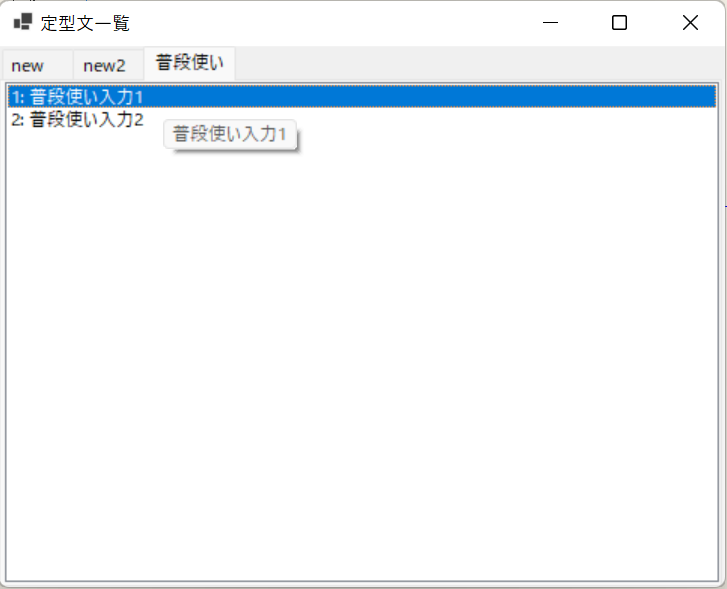
You can display the launcher by pressing Ctrl twice in a row (the key type and number of presses can be changed in the settings) or by using Ctrl + Shift + O.
Operations
- Press 0–9 / A–Z keys for instant input.
- Type keywords to search through phrases.
- Press
Escto close the launcher immediately.
Main Features
- High-speed phrase input.
- Group management and reordering.
- Input line breaks using
Shift + Enter. - Lightweight and fast performance.
How to Update
- 1. Close the application.
- 2. Download the new version.
- 3. Overwrite the files in the existing folder.
- 4. Launch the application.